Products by AGYNAMIX
Software that makes work easier. Built around clear workflows and control over your own data.
 AGYNAMIX® InvoicerDesktop app
 Your invoices.
Your data.
Invoicing software for freelancers and small businesses – on Windows, macOS and Linux.
Your business deserves software that fits the way you work. Create invoices and e-invoices, manage customers and keep track of payments – locally on your computer, without a mandatory cloud service or recurring licence fees.
Windows in the office, macOS in the studio or Linux at your desk: you choose where you work. Your business data stays under your control.
Less invoice admin. More time for your business.
From your first customer to your next invoice, keep your workflow in one place. Spend less time searching separate spreadsheets for customer details and outstanding amounts, and focus on moving your business forward.
Take your time to see how Invoicer fits your working day. Try every feature free for 30 days, then choose the licence that suits you.
No credit card required · Windows, macOS & Linux
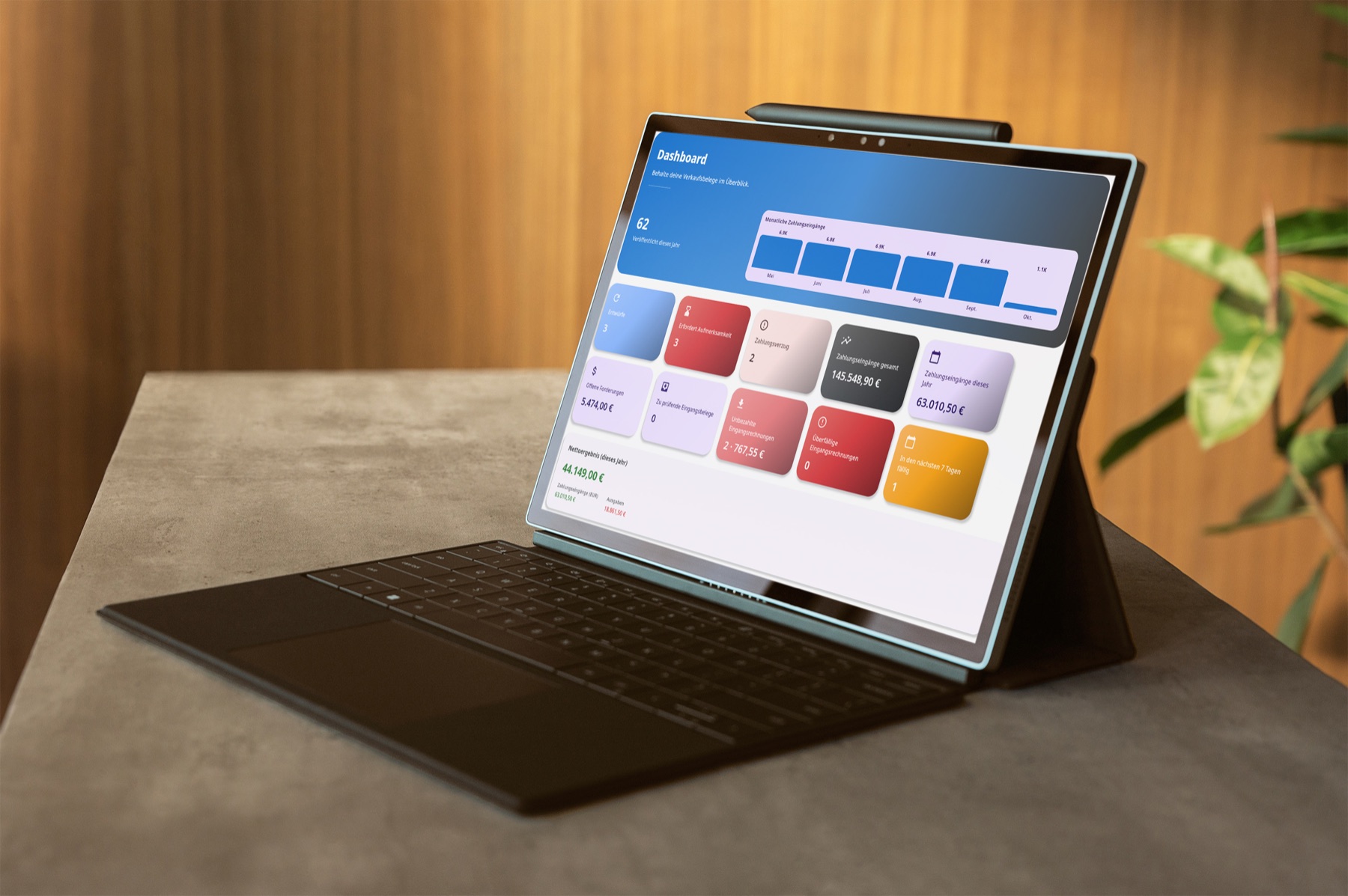
Your system. Your choice.
Windows, macOS or Linux: work with the operating system that suits you. Invoicer is available for all three platforms.
Work locally. Stay independent.
Create and manage invoices even without an internet connection. In standalone mode, your business data needs no cloud service.
Your data belongs to you.
Customers, invoices and documents stay on your computer – or on your own host when working as a team. You decide who gets access and whether to use external services.
Pay once. Keep using it.
No mandatory licence subscription or monthly licence fees. Updates are included for the first year; after that, you choose whether to purchase an optional Update Pass.
More freedom in your working day.
Your invoicing should not depend on a cloud provider being available or changing its terms. With Invoicer, you can keep using the last version you received indefinitely. You keep your data and choose when to update.
Privacy starts with where your data lives. When working locally, you do not need to hand your customer and invoice data to a cloud provider for processing. You know where your data lives and who can access it.
More than writing invoices. Customer management, automatic invoice numbering and payment tracking support your daily work. Depending on your licence, you can also manage incoming documents, send invoices by email and work as a team.
More projects
New ideas and software from earlier years.
Symnix
AGYNAMIX; Sat, 01 Oct 2022 -> ongoing
Symnix is a new product that is currently in development. It is a web based application that allows users to manage their hosted applications more efficiently. Symnix allows individuals and organizations to create, manage, and monitor multiple hosts with multiple installed applications. Symnix aims to streamline the server management using latest industry standards and best practices.
It is built using Rust for the backend, Typescript and React for the frontend, and PostgreSQL for the database. The application is containerized using Docker to ensure easy deployment and scalability.
AGYNAMIX Numerix
AGYNAMIX; Sun, 01 Mar 2015 -> Sun, 31 Dec 2017

Numerix was planned as a multi tenant tool for freelancers or small companies. It contains modules for
time tracking; invoice generation (from tracked time and extra items); document management, multi document upload; a knowledge base; chat rooms, complete with callout and notifications; user management, complete with notification emails, password reset, etc.; a calendar
On the technical side, Numerix is a Clojure / Clojurescript project using Reagent and re-frame, storing data into a MongoDB. It uses a role based permissions system similar to Apache Shiro's wildcard permissions.
You can create invoices from tracked time and also adding manual entries along with different taxes, a generated invoice number etc. When done you can generate a PDF from it via the Flying Saucer project.

Unser Gartenverein
AGYNAMIX; Thu, 01 Nov 2012 -> Sat, 31 Dec 2016
Gartenverein is an attempt to create a hosted application to manage small garden communities in Germany.
Garden communities are managed like associations. Invoices need to be sent, water and power meter readings have to be collected and stored.
This software manages garden tenants, readings, documents, a shared calendar and more.
After logging in you are greeted with a Dashboard like overview with up-to-date information. From there you can quickly navigate to areas like bulk letters, invoices, dates, documents and more.

AGYNAMIX Simidude
AGYNAMIX; Wed, 01 Oct 2008 -> Sat, 31 Dec 2011

I developed a small cross platform application that is used to copy your computers clipboard contents, files or whole directories to connected machines.
Simidude is a cross platform network clipboard and file sharing tool. When it starts up it automatically checks your local lan for other running instances and connects to them. After that transmitting a file from one machine to another is just a drag and drop operation with Simidude.
Simidude runs on Windows, Linux and Mac computers, as well as in virtual machines.
AGYNAMIX Simidude
This shows the Simidude main windows where you can drag and drop files or directories upon and they appear on all connected Simidude instances.
Items copied to the clipboard will also appear in the list, are transfered and can be activated on any connected computer.

AGYNAMIX Net-Herald
AGYNAMIX; Fri, 01 Jul 2005 -> Thu, 31 Dec 2015
I started AGYNAMIX by the end of 2004 to create a company where I could create great software according to what I have learned in the past decade and not according to managers that have never delivered a line of code.
My first product was a monitoring software for water supply companies. It was a pretty large project featuring a server side Java application written using these technologies:
the Spring framework a PostgreSql database Java COM connectivity to manage GSM modems to send warnings an OPC (Ole for Process Control) COM library to connect to existing software
With these tools I developed an Eclipse RCP application that uses Eclipse GEF to visualize the data (show a nice chart and current values).
The Net-Herald box image
